WhatsApp Cart Recovery: Why It Gets Replies Email Never Does
An abandoned checkout gets one automated WhatsApp message — a real product photo, price, and their own checkout link — sent only to a shopper who's already messaged you. Here's how it actually works.
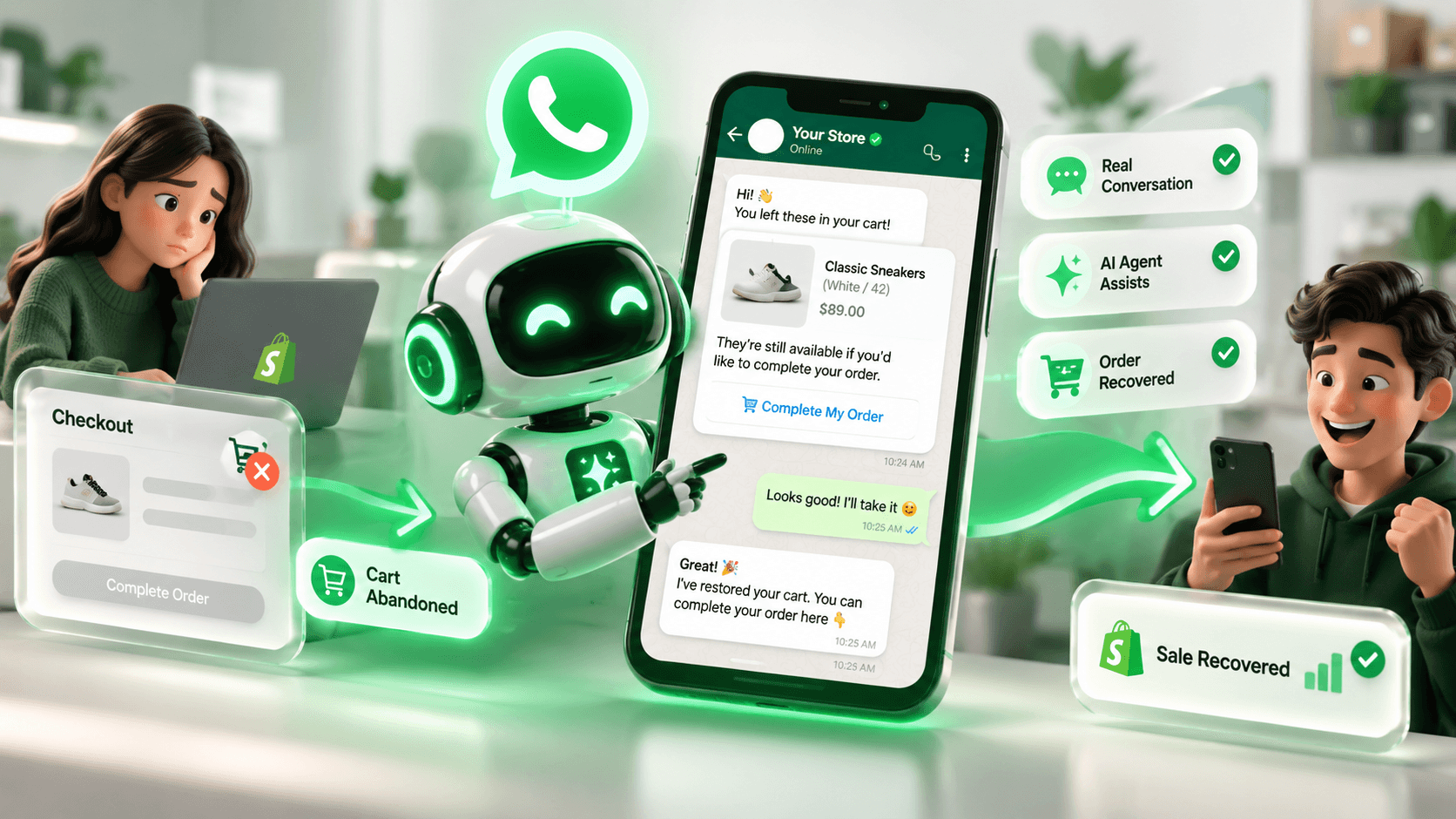
Quick Summary
An abandoned cart email competes with every other unread email a shopper has. A WhatsApp message competes with nothing — it's the one app already open. WhatsApp Cart Recovery is built around that difference: one real product message, sent only where it's actually welcome, with a link straight back to the exact cart they left.
It looks like a product, not a reminder
Most abandoned-cart messages are a wall of text with a generic "come back!" line. This one sends as an actual WhatsApp image message — the real product photo from your catalog, its title, the variant they picked, and the price — with the message itself as the caption underneath. It reads the way a friend sharing a product would, not an automated nudge.
If a specific checkout has no product photo on file yet, it falls back to a plain text message with the same details instead of sending a broken or empty image — nothing about the send depends on the photo being there.
Never a cold message
The one rule this never breaks: a recovery message only goes to a phone number that has already messaged your store on WhatsApp before. A checkout that only ever gave you a phone number — no prior conversation — gets skipped, not messaged cold. That's a deliberate line, not a missing feature: a WhatsApp number getting flagged for unsolicited messages is a real risk to the number your customers already trust.
How one abandoned checkout actually moves through it
Checkout abandoned
Shopper adds items, leaves before paying
Already messaged you on WhatsApp
Everyone else is skipped, not messaged cold
Product-card message sent
Photo, title, variant, price, and their real checkout link
Order recovered
Tagged "Nova Recovery" in Shopify automatically
A real product flow, start to finish — not a projected conversion rate.
Ready to use, or write your own
There's an official default template already written — customer name, product name, variant, and price all in place, worded to actually get a reply rather than read as automated. It's ready the moment you turn the toggle on; you don't have to write anything to use it.
If you'd rather customize it, every variable is available as a one-click insert, and a field that's missing on a specific checkout (no variant, no price) just drops that part of the sentence cleanly instead of leaving a stray blank. A live preview shows exactly what a customer will see before you save anything.
- Set the delay in minutes or hours — how long a cart sits before the message goes out
- An optional one-time "thank you" follow-up sends after the order actually converts
- Delivery ticks and read receipts show up in the same conversation, same as any other WhatsApp message you send
Takeaway
A cart recovery message only works if it's something a shopper would actually want to open. Sending it as a real product message, only to someone already talking to you, is what makes that true here.
Was this article helpful?
See AI Agent live on a real storefront.
Start Free TrialFrequently asked questions
No — that's a hard rule, not a setting. A checkout with no prior WhatsApp conversation is skipped, never messaged cold.

Written by
Aqib Shahzad
Founder, MerchantDesk AI
Founder of MerchantDesk, leading product on AI Agent, Shop with AI, and Order Tracking. Writes about how the AI actually works under the hood, not just what it promises.
View all articles by Aqib
Keep reading



You’ve seen how it works. Try it on your own store.
Put this playbook to work in an afternoon — free for 7 days.